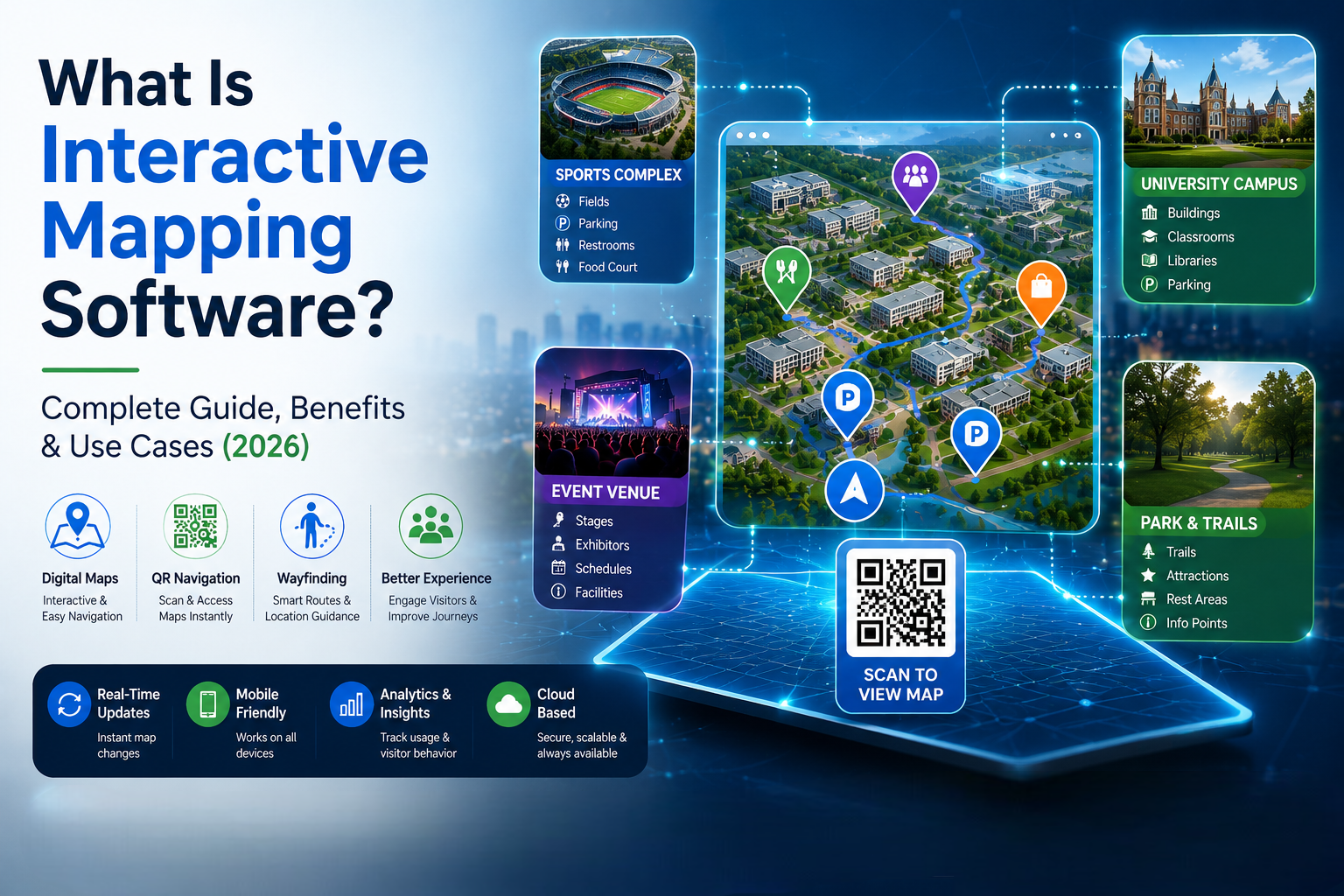
What Is Interactive Mapping Software? Complete Guide, Benefits & Use Cases (2026)
Discover how interactive mapping software helps organizations create smarter digital maps, improve navigation, and deliver exceptional visitor experiences.
Introduction
Finding your way around a large venue, busy event, sprawling university campus, massive sports complex, or expansive state park can be a genuinely challenging experience. Traditional printed maps often become outdated the moment they are printed, are difficult to update on the fly, and prove highly inconvenient for visitors to carry and read. This is exactly where interactive mapping software steps in to revolutionize modern wayfinding.
Interactive mapping software allows organizations to create digital, dynamic, and exceptionally user-friendly maps that help visitors navigate locations more efficiently. From high-traffic event venues and university campuses to sports facilities and public parks, interactive maps dramatically improve navigation, enhance overall visitor experiences, and provide critical real-time information.
In this comprehensive guide, you'll learn exactly what interactive mapping software is, how it works behind the scenes, its key benefits, and the most common use cases dominating the landscape in 2026.
What Is Interactive Mapping Software?
Interactive mapping software is a modern, cloud-based digital solution that enables organizations to design, deploy, and manage maps integrated with clickable locations, searchable points of interest (POIs), advanced navigation tools, rich multimedia content, and instant real-time updates.
Unlike static images or paper maps, interactive maps allow users to engage with map elements directly and intuitively. Visitors can fluidly zoom in on specific areas, search for precise locations, view step-by-step directions, access hyper-local information, and navigate complex spaces using their own mobile devices without downloading bulky applications.
Key Trend in 2026: Modern interactive maps are no longer just passive visual aids; they serve as centralised digital hubs connecting physical spaces with live, actionable data.
These intelligent maps are commonly deployed across various sectors, including:
-
Event venues and convention centers
-
Sports complexes and mega-stadiums
-
University and college campuses
-
Parks and recreation areas
-
Large-scale festivals and public exhibitions
-
Tourist attractions and theme parks
-
Corporate campuses and business parks
-
Public facilities like hospitals and airports
How Does Interactive Mapping Software Work?
Interactive mapping platforms transform traditional blueprints, architectural layouts, and static maps into immersive digital experiences by adding layers of geospatial data and user-friendly navigation tools.
The typical implementation process follows five core steps:
1. Map Creation and Layering
Organisations begin by uploading a venue layout, a multi-floor campus plan, an architectural blueprint, or a standard geographic area into the mapping platform. The software digitises these files, converting them into scalable vector graphics or 3D layers that render perfectly across all screens.
2. Location Tagging (POIs)
Important physical locations are precisely pinned on the digital map. Administrators tag essential points of interest such as entrances, exits, restrooms, parking lots, rideshare zones, food courts, stages, classrooms, or specific sports fields.
3. Rich Information Integration
Each tagged location is transformed into an interactive node. When clicked, these nodes can display deeply contextual multimedia content, including:
-
Detailed textual descriptions
-
High-resolution images or 360-degree virtual tours
-
Instructional videos or promotional clips
-
Direct contact details and customer support links
-
Live operating hours and holiday schedules
-
Real-time event schedules and session timelines
4. Dynamic Navigation Features
Once the map is published, visitors can seamlessly interact with the interface. They can search for specific locations using an intuitive search bar, view optimized walking directions, navigate complex indoor/outdoor layouts using their mobile devices, and access the exact map view they need instantly via custom-generated QR codes placed around the physical venue.
5. Real-Time Cloud Updates
Administrators retain access to a centralized backend dashboard. If an exhibitor moves booths, a restroom closes for maintenance, or a lecture is rescheduled to a different hall, the changes can be published instantly across all user devices without reprinting a single piece of material.
Key Features of Interactive Mapping Software
Modern interactive mapping solutions offer a robust variety of features designed specifically to maximise visitor navigation and boost digital engagement.
-
Searchable Locations: A smart search bar allows users to quickly filter and find specific places, rooms, or vendors within a massive venue or campus.
-
QR Code Access: Placed strategically on physical signage, QR codes allow visitors to scan and instantly launch the web-based digital map on their smartphones.
-
Mobile-Friendly Design: Maps are cross-compatible and optimized to work flawlessly on smartphones, tablets, information kiosks, and desktops.
-
Custom Branding: Organisations can fully customise the map's user interface with unique logos, specific colour palettes, custom fonts, and brand elements.
-
Multimedia Content: Locations can include photos, embedded videos, hyper-links, and highly detailed informational pop-ups.
-
Real-Time Updates: Map information can be changed instantaneously whenever scheduling, routing, or layout changes occur.
-
Analytics and Insights: Robust backend analytics track anonymous visitor interactions, search queries, and popular locations to help managers optimize venue layouts.
Benefits of Interactive Mapping Software
Improved Visitor Navigation
Visitors can easily locate their destinations without confusion, stress, or the need to constantly ask staff for directions. This streamlines foot traffic and reduces bottlenecks in crowded areas.
Better Visitor Experience
By removing the frustration of getting lost, interactive maps directly improve visitor satisfaction, making their overall journey through a space seamless, pleasant, and efficient.
Reduced Printing Costs
Organizations no longer need to budget for printing, shipping, and distributing large quantities of paper maps that inevitably end up in the trash when venue details change.
Instant Updates
Changes can be executed immediately via the cloud. This saves immense operational time, as layout updates no longer require waiting for a new physical print cycle.
Increased Engagement
Visitors spend significantly more time interacting with digital content, looking up sponsor information, discovering nearby concession stands, and exploring venue attractions.
Enhanced Accessibility
Interactive maps can highlight accessible routes, elevators, ramps, and dedicated seating options, providing better inclusivity and accessibility for diverse user groups.
Environmentally Friendly
Transitioning away from physical paper printing drastically reduces paper waste, aligning organizations with modern sustainability initiatives and eco-friendly corporate goals.
Interactive Maps vs. Traditional Maps
| Feature | Interactive Maps | Traditional Maps |
| Real-Time Updates | Yes, instant cloud synchronisation | No, requires a complete reprint |
| Search Functionality | Yes, instant keyword filtering | No, requires manual eye scanning |
| Mobile Access | Yes, works directly on smartphones | Limited, requires carrying paper |
| QR Code Integration | Yes, bridges physical and digital | No, completely analogue format |
| Multimedia Content | Yes, supports video, images, and links | No, limited to static text/graphics |
| Visitor Analytics | Yes, tracks popular paths & clicks | No, zero tracking capabilities |
| Printing Costs | None, fully digital distribution | Ongoing, high recurring expenses |
| User Experience | High, dynamic, and personalised | Moderate, often confusing to read |
Use Cases of Interactive Mapping Software
Event Venues & Conventions
Event organizers utilize interactive maps to guide thousands of attendees through complex convention centers. Attendees can easily locate specific keynote stages, individual exhibitor booths, food vendors, sponsor areas, parking structures, and restrooms.
Sports Complexes & Stadiums
Massive sports facilities use interactive maps to guide thousands of fans to their exact seating areas, ticket booths, preferred parking lots, merchandise stands, and nearest concession areas, drastically reducing concession wait times.
University Campuses
Students, staff, and new campus visitors can quickly find classrooms, administrative offices, libraries, dormitories, student centers, and recreational sports facilities spread across hundreds of acres.
Parks and Recreation Areas
Interactive maps help outdoor enthusiasts safely navigate hiking trails, pinpoint specific picnic areas, find visitor centers, locate historical attractions, and identify emergency check stations and restrooms.
Corporate Campuses
Large multi-building enterprises use digital maps to improve indoor navigation, helping employees, clients, and visiting vendors navigate across complex office environments and find meeting rooms.
Why Organizations Are Adopting Interactive Mapping Software in 2026
As visitor expectations continue to lean into digital-first conveniences, organizations are heavily investing in software solutions that prioritize accessibility, speed, and deep engagement. Interactive mapping software perfectly solves these demands by enhancing visitor experiences, improving operational efficiency, cutting unnecessary print costs, delivering real-time information, and modernizing outdated navigation systems. The demand for digital wayfinding and location-based experiences is growing rapidly and is expected to become standard infrastructure in the coming years.
Best Practices for Interactive Maps
To maximize the overall effectiveness of your digital map, ensure you follow these proven industry best practices:
-
Keep map information updated: Dedicate time to update layouts immediately when changes occur.
-
Use clear location names: Avoid confusing internal jargon; use simple, recognizable labels for points of interest.
-
Optimize maps for mobile devices: Ensure fast loading times and responsive design for users on the go.
-
Include QR code access: Display QR codes prominently on physical signs, badges, and entryways.
-
Add search functionality: Ensure the search bar auto-suggests locations to help users find spaces fast.
-
Use consistent branding: Match the map interface with your organization's official colors and logos.
-
Provide accessibility options: Clear paths must be highlighted specifically for individuals with limited mobility.
Frequently Asked Questions
What is interactive mapping software?
Interactive mapping software is a digital platform that allows users to create, customize, and manage dynamic, web-accessible maps featuring integrated navigation tools, searchable locations, and real-time information updates.
How does interactive mapping software work?
It combines digital blueprints or geographic data with location-based pins and interactive elements, allowing users to search, click, and navigate venues seamlessly using any internet-connected device.
What are the main benefits of interactive mapping software?
The primary benefits include vastly improved visitor navigation, enhanced user experiences, total elimination of printing costs, instant real-time information updates, and superior accessibility features.
Who typically uses interactive mapping software?
It is widely adopted by event organizers, sports stadium operators, university administrators, public park services, tourist attractions, large hospitals, and enterprise corporate campuses.
Are QR code maps better than printed maps?
Yes. QR code maps provide instant access without application downloads, support real-time data updates, offer interactive search capabilities, and carry zero recurring printing costs.
Can interactive maps improve the visitor experience?
Absolutely. By providing clear, step-by-step directions and searchable information, interactive maps eliminate the stress of getting lost and help visitors navigate venues confidently.
Conclusion
Interactive mapping software has fundamentally transformed how modern organizations help visitors navigate complex environments. By seamlessly combining digital layouts, real-time cloud updates, convenient QR code access, and user-friendly mobile navigation tools, organizations can significantly improve overall visitor experiences while driving down operational costs.
Whether you are managing a massive convention venue, an expansive sports complex, a historic university campus, a sprawling public park, or a multi-building corporate facility, interactive mapping software provides a smarter, faster, and more efficient way to connect people with places. As the reliance on digital wayfinding continues to accelerate through 2026, forward-thinking organizations that invest in interactive mapping solutions will be best positioned to deliver exceptional visitor experiences and modern navigation capabilities.
